IGNOU Admission Status 2026: If you have recently applied for admission to Indira Gandhi National Open University (IGNOU), one of the most important things to do after submitting your application is to check your IGNOU admission status. The admission status helps students confirm whether their admission or registration details have been updated in the university database.
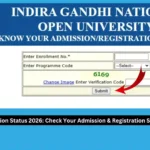
IGNOU provides an official online service called “Know Your Admission/Registration Details”, where students can check their admission and registration information using their Enrollment Number and Programme Code. The official status page currently asks students to enter these details along with a verification code.
Students can check their IGNOU admission status online without visiting a Regional Centre. This is particularly useful after fresh admission, when students want to confirm whether their enrollment and programme details have been recorded.
Check IGNOU Admission Status Online
Students can check their admission status directly through the official IGNOU admission status portal.
IGNOU Admission Status: https://isms.ignou.ac.in/changeadmdata/AdmissionStatusNew.ASP
The portal is an official IGNOU service for checking admission and registration details. You generally need your Enrollment Number, Programme Code, and the verification code displayed on the page.
The official IGNOU website also lists registration status as one of its student services and directs learners to the registration-status facility for checking their details.
Important IGNOU Admission Status Links and Information
| Information | Details |
|---|---|
| Admission Status | Check IGNOU admission and registration details |
| Admission Status Link | https://isms.ignou.ac.in/changeadmdata/AdmissionStatusNew.ASP |
| Required Information | Enrollment Number |
| Programme Information | Programme Code |
| Verification | Verification/Captcha code |
| University | Indira Gandhi National Open University |
| Admission Mode | ODL and Online programmes, depending on the programme |
| Official Website | https://www.ignou.ac.in/ |
| Admission Portal | IGNOU Samarth Admission Portal |
| Student Services | Registration, study material, examination and other services |
What Is IGNOU Admission Status?
IGNOU admission status refers to the information available in the university’s admission and registration database regarding a student’s admission.
After submitting an admission application, students may want to know whether their details have been successfully processed and recorded. The official IGNOU status service allows learners to check their registration information online.
According to IGNOU’s student-service information, students can use the “Know Your Status” service to verify admission and registration details. The service requires the Enrollment Number and Programme Code.
The status information can be useful for confirming important details associated with your IGNOU admission.
How to Check IGNOU Admission Status?
Checking the IGNOU admission status is a straightforward process. Follow these steps carefully.
Step 1: Visit the Official Admission Status Portal
Open the official IGNOU admission and registration status page: https://isms.ignou.ac.in/changeadmdata/AdmissionStatusNew.ASP
Make sure you are using the official IGNOU website and not an unofficial website claiming to provide admission-status information.
Step 2: Enter Your Enrollment Number
The admission-status page asks students to enter their Enrollment Number.
Enter the enrollment number exactly as provided by IGNOU. Avoid adding unnecessary spaces or changing any digits.
Your enrollment number is an important identification number associated with your IGNOU student record.
Step 3: Select Your Programme Code
The portal also asks for the Programme Code.
Select or enter the programme code associated with your admission. For example, the programme code will depend on the course in which you have taken admission.
It is important to select the correct programme because IGNOU offers a large number of undergraduate, postgraduate, diploma, certificate and other programmes.
Step 4: Enter the Verification Code
The page displays a verification image/code. Enter the code shown on the screen in the required field.
If the code is difficult to read, use the option provided on the website to generate or view another verification code.
Step 5: Submit the Details
After entering your Enrollment Number, Programme Code and verification code, submit the form.
The system will then display the available admission or registration information associated with the details you entered.
What Information Can You Check?
The exact information displayed may depend on your student record and the service currently available through IGNOU.
The admission and registration service is designed to provide students with information related to their registration details. IGNOU has stated that its student services include facilities for checking registration details and other admission-related information.
Students should carefully check the information displayed after submitting their details.
Depending on the record, you may find information such as:
- Enrollment Number
- Student name
- Programme
- Admission or registration details
- Study Centre information
- Regional Centre information
- Other registration-related information
If you notice an error in your details, you should contact the appropriate IGNOU Regional Centre or student-support authority rather than relying on information from unofficial websites.
IGNOU Admission Status Not Showing
Sometimes students enter their details but do not see the expected admission information. This does not necessarily mean that the admission application has been rejected.
There can be several reasons why admission information may not immediately appear.
Admission Processing May Be Pending
After applying for admission, the university may require time to process and update the student’s information.
Therefore, students should allow reasonable time for their admission record to be updated.
Incorrect Enrollment Number
One of the most common reasons for an unsuccessful status search can be entering an incorrect enrollment number.
Check your enrollment number carefully before submitting the form.
Incorrect Programme Code
Make sure the programme code selected on the status page matches the programme for which you applied.
Selecting a different programme code may prevent the system from displaying the expected information.
Verification Code Error
The verification code must be entered correctly. If it is entered incorrectly, the system may not process the request.
Refresh or regenerate the verification code if necessary and try again.
Technical or Website Issue
Online services can occasionally experience technical problems. If the portal is temporarily unavailable, try again later rather than repeatedly submitting the form.
What Should You Do After Admission Is Confirmed?
Once your admission details are available, you should carefully review the information.
Check your:
- Name
- Enrollment Number
- Programme
- Regional Centre
- Study Centre
- Admission or registration details
Keeping a copy or screenshot of important admission information can also be useful for your records.
After admission confirmation, students should regularly check official IGNOU announcements and student services because admission is only one part of the academic process.
IGNOU’s official website provides various student services, including admission, re-registration, study material, examinations and other academic services.
IGNOU Admission Status and Enrollment Number
The Enrollment Number is particularly important for IGNOU students.
Students may need their enrollment number for several university-related services. It is therefore advisable to keep your enrollment details safely stored.
If you have received your enrollment number through the admission process, use the same number when checking your admission or registration information on the official status portal.
The official admission-status page specifically requires students to enter an Enrollment Number and Programme Code.
Difference Between IGNOU Admission Status and Registration Status
The terms admission status and registration status are sometimes used interchangeably by students, but they can refer to related aspects of the student’s record.
Admission status generally relates to whether the student’s admission information has been processed and recorded.
Registration status relates to the student’s registration details maintained by IGNOU.
The official IGNOU service is titled “Know Your Admission/Registration Details”, showing that the portal is intended to provide both admission and registration-related information.
Students should use the official portal rather than relying on third-party websites to interpret their status.
IGNOU Admission Status for New Students
New students who have recently applied for IGNOU admission should regularly monitor their admission information.
IGNOU conducts admissions through its designated online admission systems. The university’s official admission information explains that applicants can submit their programme, Regional Centre and Study Centre details through the online admission system and track the progress of their application.
Once admission is confirmed, IGNOU also provides admission-related communication through the contact information registered by the student.
Therefore, students should make sure that the email address and mobile number provided during admission are accessible and active.
IGNOU Admission Status for July and January Sessions
IGNOU generally conducts admission cycles for different academic sessions, including January and July sessions, depending on the programme.
The admission status portal is useful for students who have applied for a particular admission cycle and want to check the information recorded against their enrollment number.
However, admission deadlines and programme availability can change from one session to another. Students should always check the latest official IGNOU announcement for the relevant admission session.
For example, IGNOU’s official announcements provide session-specific information about fresh admissions, including the programmes and applicable admission deadlines.
What If Your Admission Status Is Not Updated?
If your admission status is not updated even after a reasonable processing period, first verify that you are entering the correct Enrollment Number and Programme Code.
You should also check your registered email and mobile number for communication from IGNOU.
If the problem continues, contact the relevant IGNOU Regional Centre or university support service with your admission-related documents.
Keep documents such as the following available:
- Admission application details
- Fee payment receipt
- Enrollment Number
- Programme Code
- Application acknowledgement
- Registered email address
- Registered mobile number
These details can help when requesting assistance regarding your admission record.
IGNOU Admission Status and Study Centre
Admission status and study-centre information are also important because students need to know where learner-support activities are associated with their programme.
IGNOU provides a separate online service for checking study-centre status. The official Study Centre Status portal allows students to enter their enrollment number and view study-centre-related information.
Therefore, if you want to specifically check your allotted study centre, use the relevant IGNOU study-centre service rather than assuming that the admission-status page provides every possible student-service detail.
Tips for Checking IGNOU Admission Status
Follow these simple tips when checking your IGNOU admission status:
- Always use the official IGNOU status portal.
- Keep your Enrollment Number ready.
- Select the correct Programme Code.
- Enter the verification code carefully.
- Check your details after the status appears.
- Keep your admission fee receipt safely.
- Monitor your registered email and mobile number.
- Check the official IGNOU website for important announcements.
- Contact your Regional Centre if there is a genuine problem with your record.
- Avoid relying on unofficial websites for confirmation of admission.
IGNOU Admission Status Official Link
Students looking for the direct link can use the following official IGNOU page:
Check IGNOU Admission Status: https://isms.ignou.ac.in/changeadmdata/AdmissionStatusNew.ASP
The page is titled “Know Your Admission/Registration Details” and provides fields for Enrollment Number, Programme Code and verification code.
Bookmarking this page can make it easier to access the service again when required.
FAQ
How can I check my IGNOU admission status?
You can check your admission status through the official IGNOU admission and registration status portal. Enter your Enrollment Number, select your Programme Code, enter the verification code and submit the form.
What is the official IGNOU admission status link?
The official link is: https://isms.ignou.ac.in/changeadmdata/AdmissionStatusNew.ASP
What details are required to check IGNOU admission status?
The status page requires your Enrollment Number and Programme Code, along with the verification code displayed on the page.
Can I check IGNOU admission status online?
Yes. IGNOU provides an online service through which students can check their admission and registration details.
What should I do if my admission status is not showing?
First check your Enrollment Number and Programme Code and try again. If your information is still unavailable after processing time, check your registered communication channels and contact the appropriate IGNOU Regional Centre or student-support service.
Do I need to visit the IGNOU Regional Centre to check admission status?
Generally, you can check your admission and registration details online using the official status service. A Regional Centre may be contacted if there is a problem with your record that cannot be resolved online.
Can I check my IGNOU study centre through the admission status page?
For specific study-centre information, IGNOU provides a separate Study Centre Status service. Students can use that service with their Enrollment Number.
Is the IGNOU admission status portal free to use?
The admission and registration status service is an online student service provided by IGNOU. Students do not need to make a separate payment simply to check their admission status.
What is the difference between admission and re-registration?
Fresh admission is for students entering a programme through a new admission application, while re-registration is generally used by existing students continuing their programme into subsequent semesters or years. IGNOU provides separate services and portals for these processes.
Where can I find official IGNOU announcements?
Students should use the official IGNOU website and its announcements section for current university notifications, admission updates and other important information.
Conclusion
IGNOU admission status is an important service for students who have applied for admission and want to verify their admission or registration information. Instead of visiting a Regional Centre simply to check basic registration details, students can use the official online status portal.
To check your details, visit: https://isms.ignou.ac.in/changeadmdata/AdmissionStatusNew.ASP
Enter your Enrollment Number, select the correct Programme Code, enter the verification code and submit the form. The official IGNOU service is designed to help learners check their admission and registration details online.
Students should also keep their admission receipt, enrollment details and other documents safely stored. If the information does not appear or appears incorrect, verify the details entered first and then contact the appropriate IGNOU support channel or Regional Centre when necessary.